


Static Caravans for sale at Wild Duck
Near Great Yarmouth NR31 9NEWhy you'll love Wild Duck...


Wild Duck offer something truly unique - a woodland setting in some of Norfolk’s finest countryside. By buying one of our caravans for sale at Wild Duck, you’ll have access to the gem of the county - the Norfolk Broads, and still be just a short ride from the seaside and glorious Great Yarmouth. Every day is an adventure at Wild Duck, and with fantastic things to do and a range of owners-only events, you’re set up for a stylish lifestyle change.
Experience the benefits of Haven holiday home ownership at Wild Duck
Book your visit with our team or download a brochure to learn more.


Find your holiday home
Browse the complete range of caravans and lodge holiday homes for sale across Wild Duck


Caravan ranges carefully chosen to suit a wide range of needs, tastes and budgets
Discover our different size caravans 4 berth for small families and couples, 6 berth for extended families and 8 berth, our largest holiday homes.
Exclusively for owners
 Summer Spectacular
 Owner-only swim
 Owner-only day trips
  Quiz night
  Live acts
 Welcome Back PartyEnd of Season Party
  Wine Club
Activities

See what activities are on at Wild Duck
View activities schedule
Indoor pool

Outdoor pool

Nature trail walks

Crazy golf

Wild Wizards
Food and drink


The Sitting Duck


Cook's Fish & Chips


Papa Johns


Mini Market
Things to do near Wild Duck
Wild Duck has some great outdoor Ranger activities to enjoy including Den Building, Nest Box Creations, and a Bug Hunt. Its woodland location is ideal for walks with the dog in the forested fresh air and on the nearby Broads. Seaside days at nearby Gorleston, Lowestoft or Great Yarmouth are on the cards, too.

Gt. Yarmouth nearby

Great Yarmouth Beach

Norfolk Broads

Gorleston Beach

Walks to Burgh Castle

Pleasurewood Hills Theme Park

BeWILDerwood

Pettitts Animal Adventure Park

Sea Life Great Yarmouth
On park
- Woodland setting
- Unique to the Haven family, Wild Duck is in a woodland setting amongst the wilderness and lakes of a beautiful forest. There’s so many places to stroll and enjoy the surroundings!
- Indoor pool
- There’s a fantastic multi-lane water slide, splashing bucket and a toddler area perfect for little ones.
- Outdoor pool
- The outdoor pool is open during the warmer months of the year and is the best place to be when the sun's out.
- Spotting wildlife
- You’ll be surrounded by natural beauty on all four sides at Wild Duck. There are a range of secret wooded clearings that are the perfect escape from the hustle and bustle. If you'd like to feed our ducks on Plover Lake, you'll find duck food available from our Mini Market.
- Dogs welcome
- We welcome dogs with open arms! There's a dog-friendly restaurant terrace; and walking areas near to the park to make your pooches' tails wag. You can even bring well-behaved dogs into designated areas of the main restaurant.
- Lake views
- Enjoy tranquil views over the still waters of the park's lake
- Outdoor play area
- Perfect for entertaining your little ones.
- Superb holiday home areas
- The holiday home areas at Wild Duck blend gorgeously into the surroundings and as well as woodland areas, the park has lovely holiday homes set around open water and green spaces.
- Entertainment venue
- Choose from a wide range of shows. There's everything from live vocal acts to classic prize bingo, making Wild Duck a hub of entertainment
- Sports court
- Have a kick around at your leisure, or practice your basketball skills.
- Nature trail walks
- No matter what the weather, take a family stroll around the nature trail on park.
- Crazy golf
- Grab a club and see if you can tackle our crazy golf course.
- Wild Wizards
- Wand making and potion concocting using things found in the wild along with some special secret ingredients.
- The Sitting Duck
- The Sitting Duck offers a bright, comfortable and relaxing environment to enjoy a wide selection of delicious dishes and refreshing drinks throughout the day.
- Cook's Fish & Chips
- Enjoy the unmistakable taste of the coast with delicious fish and chips from Cook's.
- Papa Johns
- Enjoy a tasty pizza from Papa Johns takeaway on park.
- Mini Market
- For your everyday essentials, meals and hot snacks to last-minute souvenirs.
- Cashless arcade
- A modern twist on a classic component of the seaside. Wild Duck is home to a cashless arcade that makes game playing on your getaway easier than ever before. You'll need to purchase a Playcard from the Playcard Kiosk or Prize Shop, top up the card and tap it on the card readers to play. Don’t worry, we still have 2p and 10p coin pushers for your loose change.
- ExclusiveSummer Spectacular
- Dance till you drop and make memories with family and friends at our annual Summer Spectacular.
- ExclusiveOwner-only swim
- Enjoy a leisurely swim and take advantage of private swim times every morning, just for owners.
- ExclusiveOwner-only day trips
- Let's spend a day at the seaside or explore local attractions and events.
- ExclusiveQuiz night
- Are you up for the challenge? We hold various quiz nights throughout the year, a fun night for you and your families.
- ExclusiveLive acts
- Throughout the year we look forward to entertaining you with various live acts to suit everyone.
- ExclusiveWelcome Back Party
- We start the season in style with a fantastic party, welcoming owners back to park with lots of fanfare!
- ExclusiveEnd of Season Party
- We close the season with a fantastic farewell party, the icing on top of a wonderful season.
- ExclusiveWine Club
- Enjoy a drink (or two) and sample some excellent wines from all over the world - you're bound to find a new favourite.
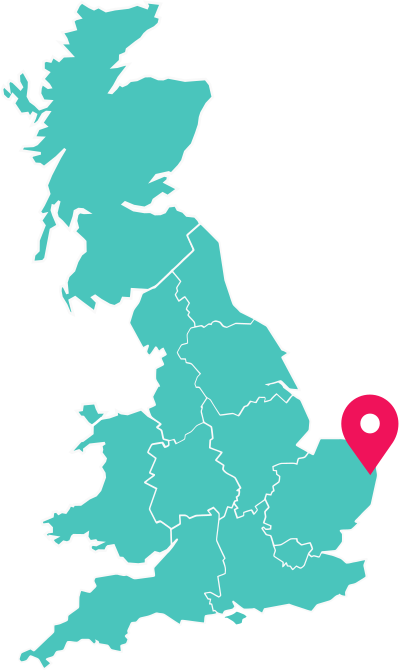
Park location
How much does it cost to own a holiday home at Wild Duck?

- Huge range to choose from
- New, Used or Lodges
- Finance from £500* a month
- 10% deposit (details)
Holiday home price £33,321.00, less deposit of £3,332.10, gives a loan amount of £29,988.90. 84 monthly payments of £499.71. Total charge for credit £11,986.56. Total amount payable £45,307.56 which includes the deposit amount. The interest rate is 5.71% fixed / 10.6% APR (representative).
Holiday home cash price includes siting, connections and standard accessories. Price excludes 2024 site fees, running costs and add-ons requested at point of sale. Park cannot be used as a permanent residence. Haven Leisure Ltd is registered in England (No. 01968698) and is a FCA appointed representative of Bourne Leisure Limited (t/a Haven). Bourne Leisure Ltd is registered in England (No. 04011660) and is authorised and regulated by the FCA (Financial Services Register No. 312847) as a credit broker and insurance distributor. Registered office: One Park Lane, Hemel Hempstead, Hertfordshire, HP2 4YL. We may receive commission from the finance provider if you enter into an agreement with them.

- Choose your perfect pitch & park
- Park facilities & maintenance
- Landscaping & security
- Earn income by letting with Haven (details)

- Gas & electricity costs
- Water charges
- Holiday home insurance
- Non-domestic business rates
Other parks nearby...


Enjoy the classic British seaside holiday again and again with a holiday home at Orchards: enjoy beach days on-park or combine sand and seaside fun at Clacton-on-Sea.
- Direct beach access
- Golf course
- Owner's leisure
- Outdoor pool


From the beauty of the Norfolk Broads to the historic Caister Village, it's yours to explore from your very own holiday home.
- Beach access
- Indoor pool
- Adventure Village
- Beach walk to Gt Yarmouth


Adventure awaits when you buy a holiday home at Hopton with miles of beautiful walking routes, friendly village and coastal scenery.
- Direct beach access
- Outstanding entertainment venue
- Beautiful setting
- Indoor pool


You couldn’t get closer to the beachfront if you tried, from your own holiday home it’s less than a stone’s throw.
- Great Yarmouth on tap
- Beach access
- SSSI dune reserve
- Shore Water Park
Free 2024 site fees when you buy a Haven holiday home at selected parks
Offer is applicable to new customer purchases made through Haven from 19 April 2024, completing by 31 December 2024.
Offer excludes part-exchanges or private sales. Available on new & pre-owned holiday homes at the following selected parks only: Kent Coast, Burnham-on-Sea, Cleethorpes Beach, Craig Tara, Far Grange, Golden Sands, Haggerston Castle, Hopton, Orchards, Seton Sands, Skegness and Wild Duck.
A credit equivalent to the value of your site fees due during the 2024 season will be applied to your account balance on completion of your purchase for use against your running costs e.g. utilities, after-sale add-ons e.g storage boxes or site fees. It cannot be applied to your purchase or refunded in cash.
Subject to availability and status. Deposit required. Access to your holiday home is subject to park opening times.
Offer cannot be combined with any other offer, discount, or promotion. Offer may be withdrawn or changed at any time without notice. Full site fees will be payable for subsequent years.
Images are shown for representational purposes.
Park cannot be used as a permanent residence. Haven Leisure Ltd is registered in England (No. 01968698) and is a FCA appointed representative of Bourne Leisure Limited (t/a Haven). Bourne Leisure Ltd is registered in England (No. 04011660) and is authorised and regulated by the FCA (Financial Services Register No. 312847) as a credit broker and insurance distributor. Registered office: One Park Lane, Hemel Hempstead, Hertfordshire, HP2 4YL. We may receive commission from the finance provider if you enter into an agreement with them.
Pre-owned holiday homes from £19,995
Holiday home price is based on a pre-owned holiday home and includes siting, connections and standard accessories.
Price excludes 2024 site fees, running costs and add-ons requested at point of sale. Subject to status and availability.
As at 1 January 2024, price is available at all parks, excluding Church Farm, Cala Gran, Cardigan View, Garreg Wen, Kiln Park, Littlesea, Lydstep Beach, Greenacres, Penally Court, Perran Sands, Rockley Park, Riviere Sands, Seashore, Seaview and Thornwick Bay.
Access to holiday home is subject to park opening times. Park cannot be used as a permanent residence.
Haven Leisure Ltd is registered in England (No. 01968698) and is a FCA appointed representative of Bourne Leisure Limited (t/a Haven). Bourne Leisure Ltd is registered in England (No. 04011660) and is authorised and regulated by the FCA (Financial Services Register No. 312847) as a credit broker and insurance distributor. Registered office: One Park Lane, Hemel Hempstead, Hertfordshire, HP2 4YL. We may receive commission from the finance provider if you enter into an agreement with them.
Brand new holiday homes from £34,995
Holiday home price is for a new 3-bedroom ABI Horizon holiday home and includes siting, connections and standard accessories.
Price excludes 2024 site fees, running costs and add-ons requested at point of sale. Subject to status and availability.
As at 1 January 2024, price is available at all parks, excluding Cardigan View, Church Farm, Cala Gran, Far Grange, Garreg Wen, Greenacres, Kiln Park, Littlesea, Lydstep Beach, Penally Court, Perran Sands, Rockley Park, Seashore, Seaview, Skegness and Thornwick Bay.
Images are shown for representational purposes. Access to holiday home is subject to park opening times.
Park cannot be used as a permanent residence. Haven Leisure Ltd is registered in England (No. 01968698) and is a FCA appointed representative of Bourne Leisure Limited (t/a Haven). Bourne Leisure Ltd is registered in England (No. 04011660) and is authorised and regulated by the FCA (Financial Services Register No. 312847) as a credit broker and insurance distributor. Registered office: One Park Lane, Hemel Hempstead, Hertfordshire, HP2 4YL. We may receive commission from the finance provider if you enter into an agreement with them.
Let2offset - make no site fee payments until 2031
Let2offset is a contractual lettings product that offers eligible owners a guaranteed letting income at a preferential rate (calculated each year) in exchange for a stipulated number of letting breaks. It also allows eligible owners to pay their site fees and receive their letting income in 12 equal monthly instalments; the monthly site fee amount charged by Haven will be after deduction of the letting income.
‘Make no site fee payments when using Let2offset until 2031’ is available at 33 Haven parks excluding Burnham, Cardigan View, Far Grange, Garreg Wen, Lydstep Beach, Riviere Sands and Seaview. The letting income received will vary by make, model and location. The monthly site fee payment does not include running costs e.g. utilities, rates & insurance.
“Make no site fee payments when using Let2offset until 2031” is applicable to new and existing customer purchases of new Atlas Sahara 3 Bed or equivalent or superior grade holiday home purchases made through Haven where customers have also signed up to Haven’s Let2offset contract. It is not applicable to private sales and cannot be used in conjunction with our free Site Fee promotion. It is available across 40% of eligible Parks and applies when letting a new Atlas Sahara 3 Bed holiday home (or equivalent or superior grade for 15 weeks.
An example of how “Make no site fee payments when using Let2offset until 2031” operates under Let2offset is the purchase of an Atlas Sahara 3 Bed holiday home at Primrose Valley with a monthly site fee of £585.00 (includes purchasing discount of £45) and monthly letting income of £803.67. The monthly difference equates to £218.67, which will be credited to the owner's account. Both letting income and site fees are subject to yearly pricing reviews and the monthly site fee costs and letting income shown in the example are based on 2024 figures.
Modelled assumptions on expected annual site fee and letting income charges over the 7-year lettable life of the Atlas Sahara 3 Bed indicate that under Let2offset it is anticipated that these customers will continue to receive a monthly credit during this period, however, this is not guaranteed. The modelled assumptions are based on the historical performance of Haven over the past 5 years of trading.
Images are shown for representational purposes. Access to holiday home is subject to park opening times.
Park cannot be used as a permanent residence. Haven Leisure Ltd is registered in England (No. 01968698) and is a FCA appointed representative of Bourne Leisure Limited (t/a Haven). Bourne Leisure Ltd is registered in England (No. 04011660) and is authorised and regulated by the FCA (Financial Services Register No. 312847) as a credit broker and insurance distributor. Registered office: One Park Lane, Hemel Hempstead, Hertfordshire, HP2 4YL. We may receive commission from the finance provider if you enter into an agreement with them.